
Clauses to executable rules
From an actual European project’s standards document.
Judged against your project standards before it reaches the team.
For BIM Managers & BIM Coordinators
Before a team can act on a change,
it needs to understand the
standards, the issue and the history.
One connected loop inside Revit. Explore each step.
 BIMTraceSelect Capture, Judge or Act
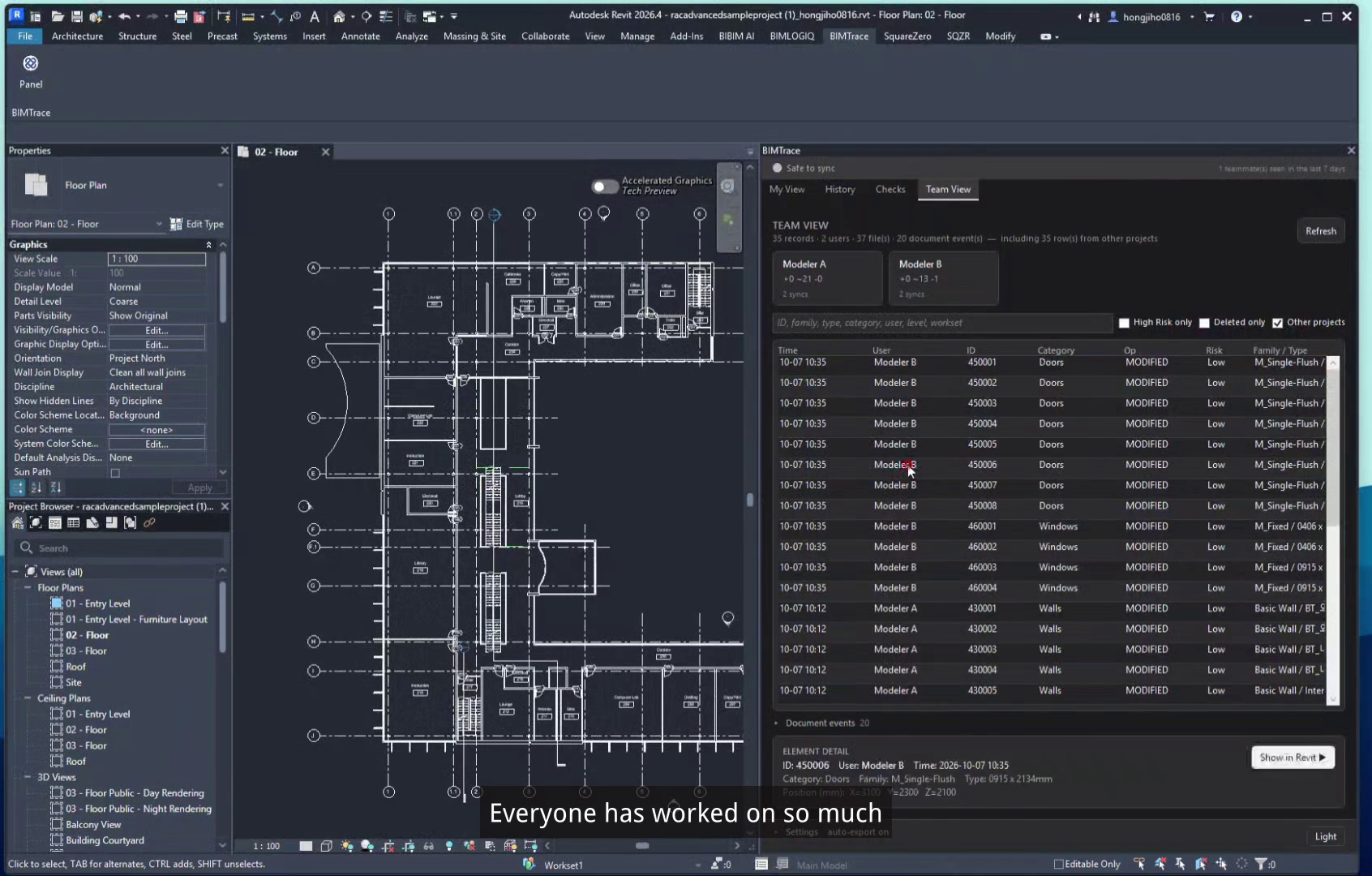
At every Central Sync, BIMTrace collects changed elements and required parameters directly through the Revit API.
See who changed what and when. Keep the shared record in your team’s CDE.
Collection is limited to the items required by project standards.
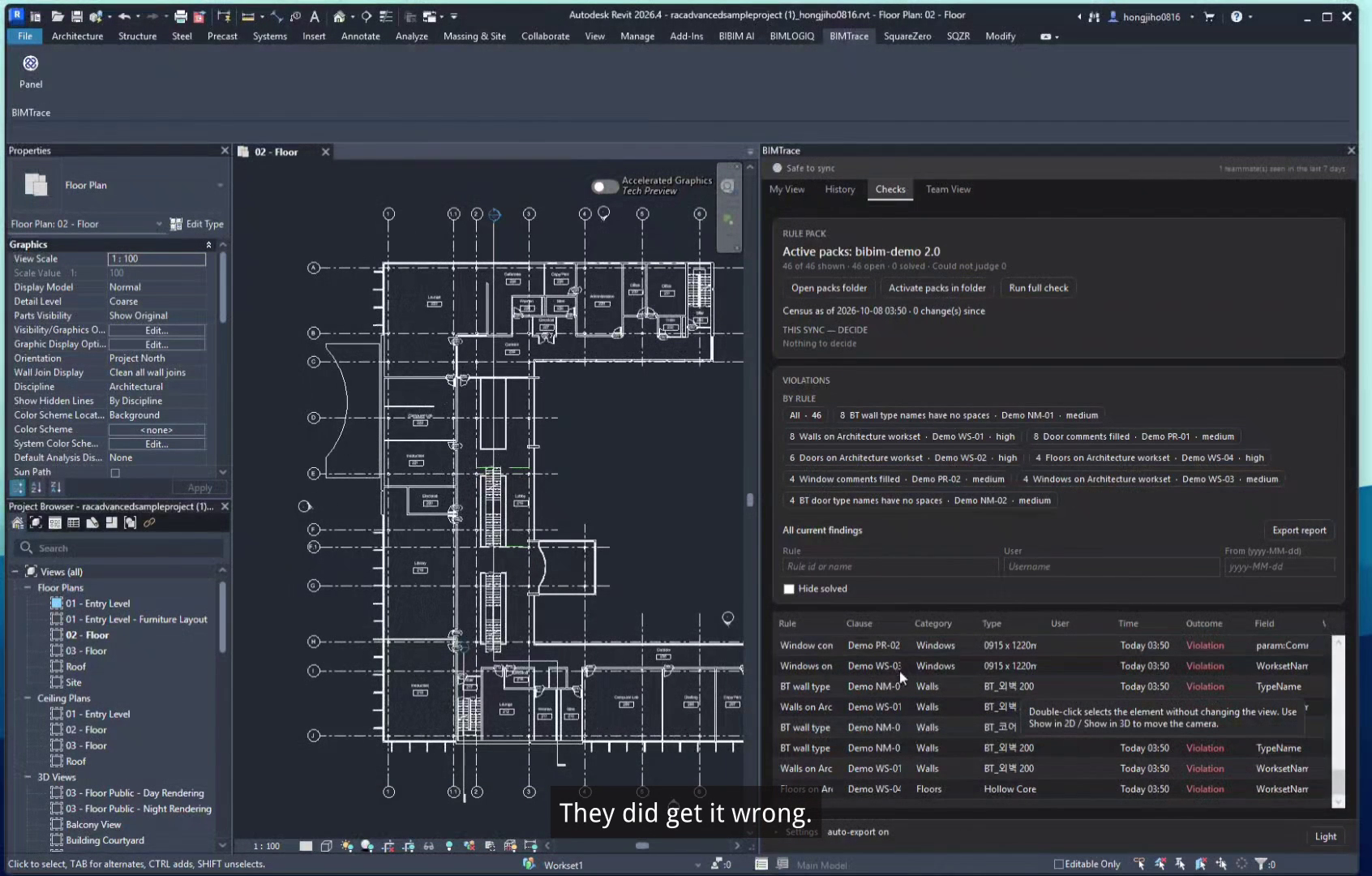
Turn your BIM Manual, EIR and BEP into human-readable, signable YAML rulepacks.
Apply deterministic logic at each sync. The same model and rulepack produce the same judgment, with no AI involved.
Rulepack judgments are deterministic. AI does not decide the result.
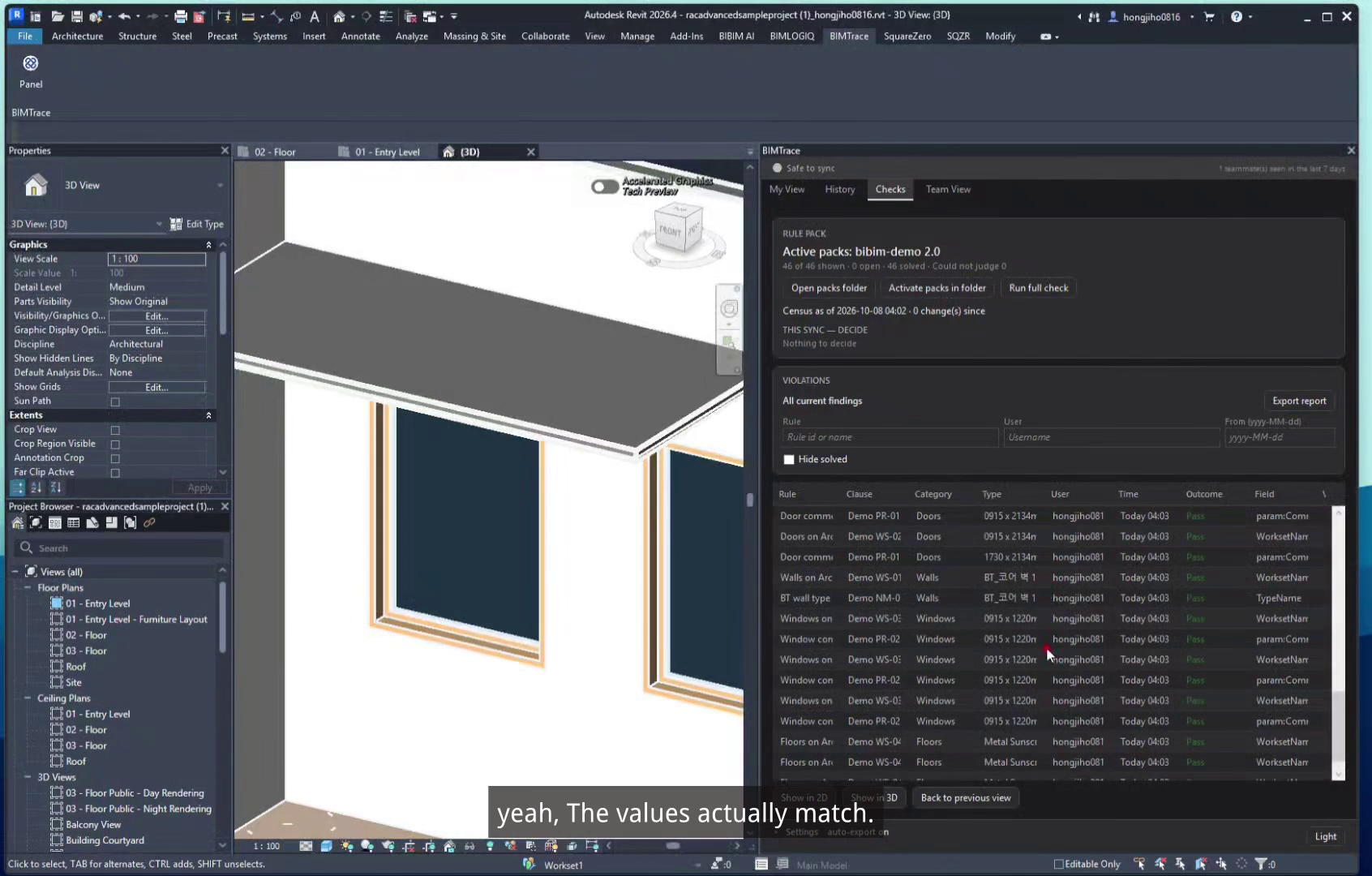
Jump to a violating element in a 2D or 3D view, understand its history and share the report with your team.
The demonstrated AI follow-up workflow exports a report, passes it to a Revit AI agent and uploads corrections.
AI-assisted corrections require review; rulepack judgments remain deterministic.
From an actual European project’s standards document.
21,165 (elements) X 38 (rules) in the supplied project measurement.
For element changes included in sync.
A working build delivered approximately one monthafter field interviews in the supplied development case.
From one hour of manual review to approximately one minute added to sync.
Internal benchmarkBefore and after, measured for the supplied parameter-response work scenario.
Internal benchmarkProject-specific measurements supplied by SquareZero. Results depend on project context; detailed measurement conditions are not supplied.
Change tracking for collaborative Revit teams.
 Visit case study
BIMTrace does not send project data to external servers.
Project records remain in your team’s shared folder.
Collection is limited to the items required by your project standards. Nothing beyond that scope.
These statements describe BIMTrace’s project-recording workflow. A subscription key also checks this PC with the licence server. That check sends the key and a machine id, not the project. Any separate AI-agent data flow needs its own review.
Choose the scope that fits your team’s workflow.
A clear record of model changes, shared with the team.
Basic, plus deterministic judgments against your standards.
QA/QC, plus the demonstrated AI handling workflow.
Pricing and credit consumption announced at launch.
The workflow, the boundaries and what your team needs to know.
At Central Sync, BIMTrace uses the Revit API to collect changed elements and the parameters required by your project standards. It does not parse Revit journal logs.
No. Human-readable YAML rulepacks apply deterministic logic. The same model and rulepack produce the same judgment. The AI handling workflow is a separate, demonstrated follow-up process.
Records stay in your team's shared folder (CDE). BIMTrace does not transfer project data to external servers. Separate AI-agent data flows need their own review.
Revit 2024–2027, with a signed installer. A verified installer download has not been supplied for this local preview.
Basic is $50 per seat per month. QA/QC adds rulepack judgments, with setup at $1,000 per document plus annual maintenance. The setup fee is separate from total subscription pricing. AI Pro pricing and credit consumption will be announced at launch.